Free AI Infographic Generator: A Founder's Guide for Marketers
free ai infographic generator — compare tools and how B2B teams use AI-generated infographics. Step-by-step guide with real examples.

Free AI Infographic Generator: A Founder’s Guide for Marketers
You have a killer blog post. It’s well-researched, packed with insights, and ranks for keywords that matter to your business. But let’s be honest—most people aren’t reading it. They’re skimming.
I see this all the time. Marketing teams spend weeks crafting the perfect article, only for it to get lost in the noise. The reality is, your audience is busy, and dense blocks of text are a huge ask. They want the key takeaways, and they want them fast. This is where visual content, specifically infographics, should come in.
For years, turning that 2,000-word article into a compelling infographic was a painful, multi-step process: write a brief, hand it off to a designer, wait a week, review the draft, go through three rounds of revisions, and finally, get a static image that’s already slightly out of date.
That workflow is broken. It’s slow, expensive, and doesn’t scale. As the founder of an AI infographic tool, I’ve spent years talking to content teams who are stuck in this exact cycle. They know they need more visual content but can’t find a way to produce it efficiently. That’s the problem we set out to solve.
Why “Free” Infographic Tools Often Fall Short
The promise of a “free” tool is tempting, but it often comes with hidden costs, especially for B2B teams. The problem isn’t a lack of options; it’s a lack of professional options.
I’ve tested dozens of traditional online infographic makers. They lure you in with promises of being free, but you quickly hit a wall. Here’s what we’ve seen teams consistently run into:
- Aggressive Watermarking: The most common issue. You spend an hour arranging elements, only to find your final export is stamped with a huge logo. For a professional brand, an
online infographic generator no watermarkis non-negotiable. - Limited Templates: The “free” templates are often generic and overused. The premium, professional-looking designs are locked behind a paywall.
- No Real AI Smarts: Many older tools simply bolt “AI” onto their name. They might suggest a color palette, but they can’t read your blog post and intelligently summarize the key points. The heavy lifting of content extraction and storyboarding is still on you.
- Lack of Brand Control: You can’t upload your brand’s fonts, logos, or specific color hex codes. You’re forced into a design that looks like everyone else’s, diluting your brand identity.
- Tedious Manual Design: You’re still dragging and dropping every icon, text box, and line. It’s digital arts and crafts, not a scalable workflow. This manual process is exactly what bogs down content teams in the first place.
These limitations mean that while the tool is technically “free,” the time you waste and the subpar, unbranded output make it a poor choice for any serious marketing team.
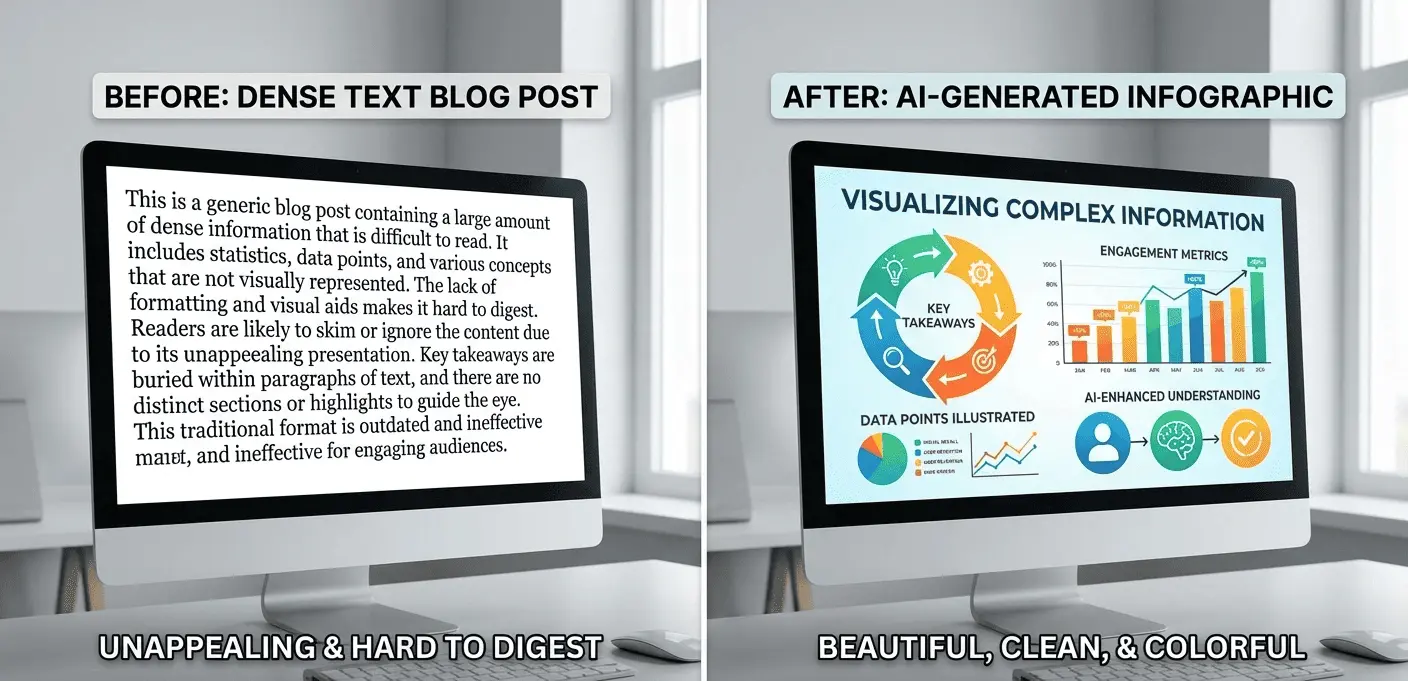
What is a Free AI Infographic Generator & How Does It Work?
A true AI infographic generator is fundamentally different. Instead of giving you a blank canvas and a library of icons, it uses artificial intelligence to do the heavy lifting of content analysis and initial design.
Here’s the core workflow:
- You provide the source: This can be a URL to a blog post, a research paper, or even just a block of raw text.
- The AI analyzes the content: It reads and understands the text, identifies the key themes, extracts critical data points, and structures a narrative summary.
- It generates a draft infographic: The AI automatically creates a visual layout, complete with headlines, bullet points, and suggested icons or illustrations. This isn’t just a template; it’s a fully-formed draft based on your content.
- You refine and brand it: From there, you can edit the text, swap icons, and, most importantly, apply your brand kit—colors, fonts, and logos—in just a few clicks.
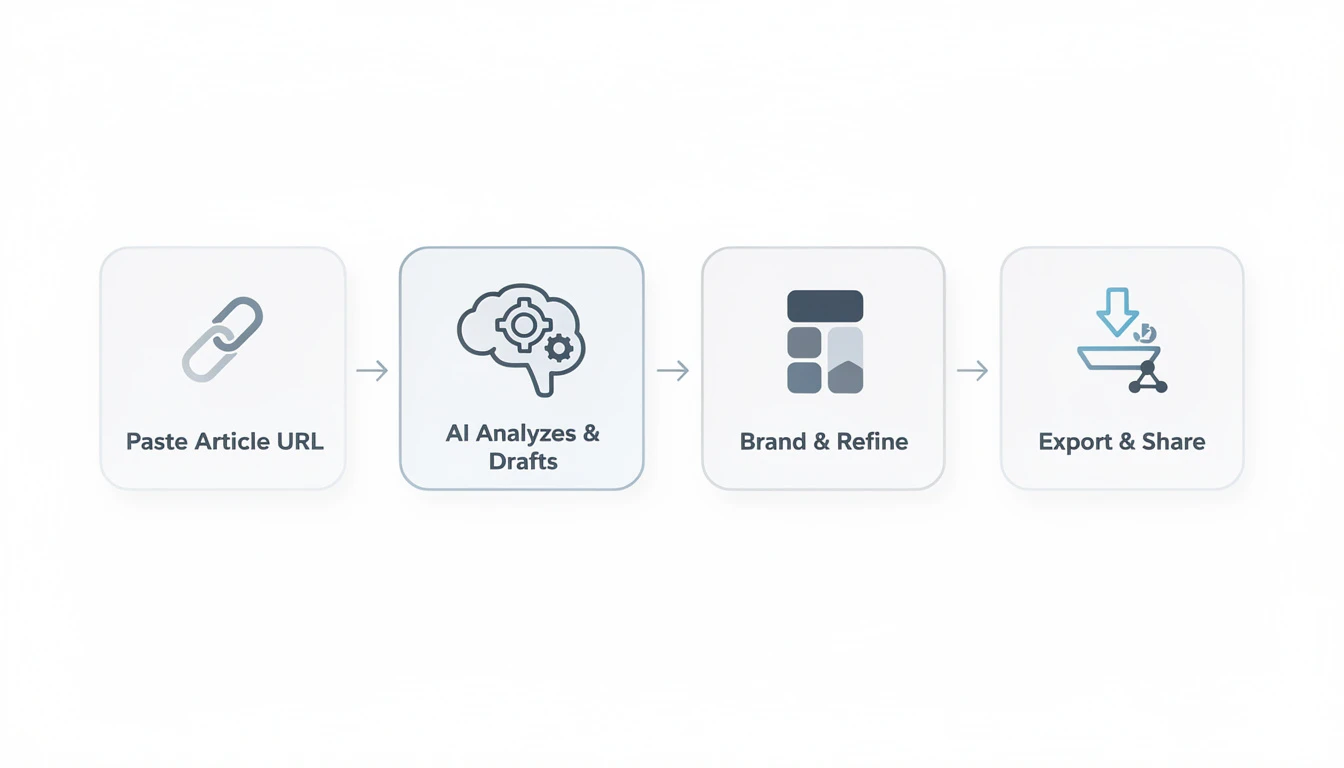
The goal isn’t to replace human oversight but to eliminate 80% of the manual work. Instead of starting from zero, you’re starting from a polished, content-aware draft. This is the core principle behind what we’re building at InfoAIGraphic.
Benefits of Using an AI Infographic Generator
For marketing teams and product owners, the “why” is simple: leverage. You’re taking your highest-performing assets—your blog posts and reports—and multiplying their impact with minimal effort.
Infographics are uniquely effective because they cater to how people consume information today. Our brains process visuals 60,000 times faster than text, and it’s been shown that people following directions with text and illustrations do 323% better than those following directions without them.
Here’s where an AI-powered workflow delivers tangible results:
- Scale Your Content, Not Your Headcount: The biggest benefit is efficiency. You can transform a blog post into a shareable infographic in minutes, not days. This allows you to build a powerful B2B playbook for scaling content without hiring more designers.
- Boost Engagement and Dwell Time: Infographics are inherently more engaging than plain text. They are highly shareable and can increase web traffic by up to 12%. By embedding these visuals in your articles, you keep readers on the page longer, sending positive signals to search engines.
- Improve SEO with Backlinks: High-quality infographics are prime link-building assets. Other blogs and publications are far more likely to embed your visual and link back to the source, which is a huge win for domain authority. In fact, articles with infographics can generate 178% more inbound links than those without.
- Repurpose with Purpose: Every B2B marketer knows the value of repurposing content. An AI generator makes this practical. You can create unique visual assets for social media, email newsletters, and sales presentations, all derived from a single piece of long-form content.
Step-by-Step Guide: From Blog Post to Branded Infographic
Let’s make this practical. Here is the exact workflow you can use to turn your best-performing article into a high-quality infographic today.
- Identify Your Source Content: Don’t just pick any article. Go into your analytics and find a blog post that already has proven traffic and engagement. This is your low-hanging fruit. You already know the topic resonates, so you’re amplifying a winner.
- Feed the URL to the AI: Copy the URL of your chosen article and paste it directly into a tool like InfoAIGraphic. The AI will crawl the page, strip out the ads and navigation, and focus purely on the body content.
- Review the AI-Generated Summary & Layout: Within a minute, the AI will produce a drafted infographic. This is your most important review step. Read through the headlines and bullet points it generated. Does it capture the core message of your article? The AI’s job is to create a logical, scannable narrative.
- Apply Your Brand Kit: This is where a professional tool shines. With one click, apply your company’s color palette, fonts, and logo. The entire design should instantly transform to feel like yours.
- Refine and Edit: No AI is perfect. You’re the expert, so now is the time for a quick polish.
- Tweak the copy: Shorten a headline or rephrase a point for clarity.
- Swap icons: If the AI chose a generic icon, search the library for one that’s more specific to your point.
- Check the flow: Ensure the sections are in a logical order that tells a clear story.
- Export and Distribute: Download the final version. Look for an
online infographic generator no watermarkthat provides high-resolution PNG or PDF files. Now you’re ready to share it everywhere:- Embed it in the original blog post.
- Share it on LinkedIn and Twitter, where visual posts get significantly more engagement.
- Send it to your email list as a piece of high-value, skimmable content.
- Give it to your sales team to use as a leave-behind after a demo.
Ready to try this workflow? Try InfoAIGraphic free and turn your top article into an infographic in under 2 minutes.
Choosing the Best Free Infographic Maker AI: 4 Key Factors
The market is getting crowded, and many tools are making bold claims. As you evaluate options, focus on the features that actually solve problems for B2B teams. Here’s my personal checklist.
- 1. Quality of the AI Summary: This is the most critical factor. A good AI doesn’t just pull random sentences. It should demonstrate a genuine understanding of the content’s hierarchy and key arguments. Test it: Give it a complex article. Does the output read like a coherent summary, or is it just a jumble of disconnected facts?
- 2. Deep Brand Customization: Look beyond just uploading a logo. The best tools let you create a “Brand Kit” with your exact fonts, primary and secondary color palettes, and other design elements. The goal is for the AI to generate content that is already on-brand from the first draft.
- 3. Flexible Export Options (Without Watermarks): A free tool is useless if you can’t get a clean, high-resolution file. You need PNGs for web use and ideally PDFs or SVGs for print or further editing. A commitment to no watermarks on free tiers is a strong signal that the company is confident in its product’s value.
- 4. Text-to-Infographic Functionality: The magic is in turning prose into a visual. If the tool is still making you manually type or copy/paste every single word into pre-made templates, it’s not a true AI generator. It’s just a classic design tool with some AI features sprinkled on top.
Generate your first AI infographic from a blog post with InfoAIGraphic — no design skills required.
Common Mistakes to Avoid When Using AI for Infographics
As powerful as these tools are, they are not magic wands. I’ve seen teams make a few common mistakes that undermine their results.
- Mistake 1: Publishing the Raw AI Output. Never skip the human review step. AI is an incredible assistant, but it lacks context and nuance. Always have a subject matter expert review the content for accuracy and tone. The AI gets you 90% of the way there; your expertise provides the final, critical 10%.
- Mistake 2: Ignoring Design Best Practices. An AI can generate a layout, but it can’t guarantee it’s perfect. Clutter is the enemy of a good infographic. If the AI puts too much text in one section, it’s your job to trim it down. Remember to follow core infographic design best practices like using white space, maintaining a clear visual hierarchy, and ensuring high color contrast for readability.
- Mistake 3: Over-relying on AI for Sensitive Data. While AI is great for summarizing blog posts and marketing content, be cautious when visualizing sensitive, proprietary data or complex financial numbers. For these cases, use the AI to generate a starting layout, but manually verify and input every single data point yourself.
FAQ
Q: Is a free AI infographic generator really free? A: It depends on the tool’s business model. Many “free” tools have significant limitations, like watermarks or low-resolution exports, to push you to a paid plan. InfoAIGraphic offers a genuinely free tier that allows you to create and export infographics without a watermark because we believe the best way to see the value is to use the tool on a real project.
Q: Can AI-generated infographics rank in Google? A: Yes, absolutely. Google Images is a powerful search engine. When you embed an infographic in your blog and use descriptive alt text and filenames (e.g., “free-ai-infographic-generator-workflow.png”), you create a new asset for Google to index. This can drive significant traffic, especially if the visual is linked to by other sites.
Q: How much time can you save compared to a manual design process? A: From what we’ve seen with our users, a process that used to take 5-10 hours of back-and-forth with a designer can now be completed in under 15 minutes. The primary savings come from eliminating the briefing, summarizing, and manual layout stages.
Q: Is a free AI infographic generator suitable for complex data visualization? A: It’s best suited for turning qualitative or narrative content (like articles) into visuals. For highly complex, quantitative data (like a scientific study), it’s a great tool for creating the initial layout and branding, but you should expect to manually input and verify the specific chart data for maximum accuracy. For creating visual timelines, however, an AI timeline generator can be extremely effective.
Your New Content Scaling Engine
The goal isn’t to stop creating well-researched articles or to replace skilled designers. The goal is to get more value from the effort you already invest in content. An AI infographic generator acts as a force multiplier for your marketing team.
It allows you to finally scale the production of visual assets, ensuring every great piece of content you write has a chance to reach the skimmers, the sharers, and the visual learners in your audience. It turns your content library from a static archive into a dynamic engine for engagement.
If you’re ready to stop the endless cycle of design briefs and revisions, give an AI-powered workflow a try. You might be surprised at how quickly you can breathe new life into your best content.
Share this article

Mateoo
Founder of InfoAIgraphic
Building the fastest way to turn text into viral infographics. Helping creators and businesses scale their visual content without design skills.
Related Articles

Finding the Best Alternatives to Infography.in for Scalable Visual Content
Discover the best alternatives to infography.in. Compare top AI workflow tools, learn how to scale your visual content, and speed up infographic creation.
Best ai infographic generator: Compare Top Picks 2026
Evaluate the Best ai infographic generator options with clear criteria, real use cases, and a faster path to publish conversion-focused visuals. Discover how!
Top 5 AI Graph Maker Tools for 2026: Charts, Reports, Infographics
Compare AI graph maker tools for turning data, text, and reports into charts or infographics. See best use cases, limits, and exports.