YouTube Video Summarizer API Key: The Founders Guide to AI Infographics
Discover how a YouTube video summarizer API key transforms long content into stunning AI infographics. Learn workflows, prompt engineering, and visual data

YouTube Video Summarizer API Key: The Founder’s Guide to AI Infographics
I spend a lot of time talking to marketers, founders, and creators who are exhausted by the content treadmill. You pour hours, sometimes days, into producing a single high-quality YouTube video or a deeply researched webinar. You hit publish, experience a brief spike in viewership, and then the algorithm moves on. The video gets buried in your archives, and all that dense, valuable information is essentially lost to time.
I realized early on that asking people to watch a 45-minute video to extract three core insights is a losing battle. The modern attention span simply does not support it. People want the meat of the content, and they want it instantly. This is the exact problem that led me to build InfoAIGraphic. I wanted a way to systematically extract the absolute best information from heavy video content and translate it into lightweight, highly shareable visual assets.
The secret weapon in this entire workflow? It is not just having a good designer or a fancy editing suite. The foundation of this automated repurposing engine is a youtube video summarizer API key. When you learn how to connect a robust transcription and summarization API to a visual generation tool, you stop being a manual content creator and start operating like a media company.
In this comprehensive guide, I am going to walk you through exactly how this technology works, why text-based summaries are no longer enough, and how you can architect a seamless pipeline to turn complex video data into stunning infographics.
Key Takeaways
- API Keys Bridge the Data Gap: A youtube video summarizer API key acts as the connective tissue between heavy, unstructured video files and structured, actionable text that AI design tools can visualize.
- Visuals Outperform Text: Generating a transcript summary is only half the battle. Converting that summary into an infographic drastically increases engagement, retention, and shareability across social platforms.
- Prompt Engineering is Critical: The quality of your final infographic depends entirely on your summarization prompt. Instructing the AI to format its output as structured key-value pairs ensures seamless integration with visualization tools like InfoAIGraphic.
The Content Decay Crisis: Why We Need Better Repurposing
Let’s be honest about the state of video marketing. The barrier to entry for creating video content has dropped to zero, which means the volume of video published daily is staggering. As a result, the half-life of a YouTube video is shorter than ever.
You might assume that if your content is good enough, people will find the time to watch it. The data tells a very different story. According to comprehensive video marketing statistics from HubSpot, 89% of businesses use video marketing, and an overwhelming 90% of marketers report a positive ROI from their video efforts. Video is undeniably effective for building trust and explaining complex value propositions. But there is a massive bottleneck: consumption friction.
If a potential B2B buyer is evaluating your software, they might not have 30 minutes to watch your demo video on their morning commute. They need the executive summary. But if you just hand them a dense, bulleted text document, you lose the narrative impact and the branding power of your visual presentation.
Furthermore, we are competing in a highly visual ecosystem. Forbes reports that content with visuals gets 94% more views than content without them, and 85% of marketers say the demand for fast, visual content has rapidly increased.
This is the content decay crisis. You have high-value information locked inside a high-friction format.
For a long time, the solution was to hire a virtual assistant or a junior copywriter to watch the video, take notes, and manually draft social media posts. This is slow, expensive, and scales terribly. The alternative is using consumer-grade AI tools where you paste a YouTube URL into a chat box and get a generic, soulless summary back.
But as a founder or a serious marketer, you need programmatic scale. You need a system that operates in the background, ingesting URLs and outputting finished, branded assets. This is where understanding and utilizing a summarization API changes the game.
Demystifying the Tech: What is a YouTube Video Summarizer API Key?
If you are new to programmatic content creation, the term “API key” might sound intimidating. Let me break it down simply. API stands for Application Programming Interface. It is a set of rules that allows two different software applications to talk to each other. An API key is essentially a unique password that authenticates your request and tracks your usage.
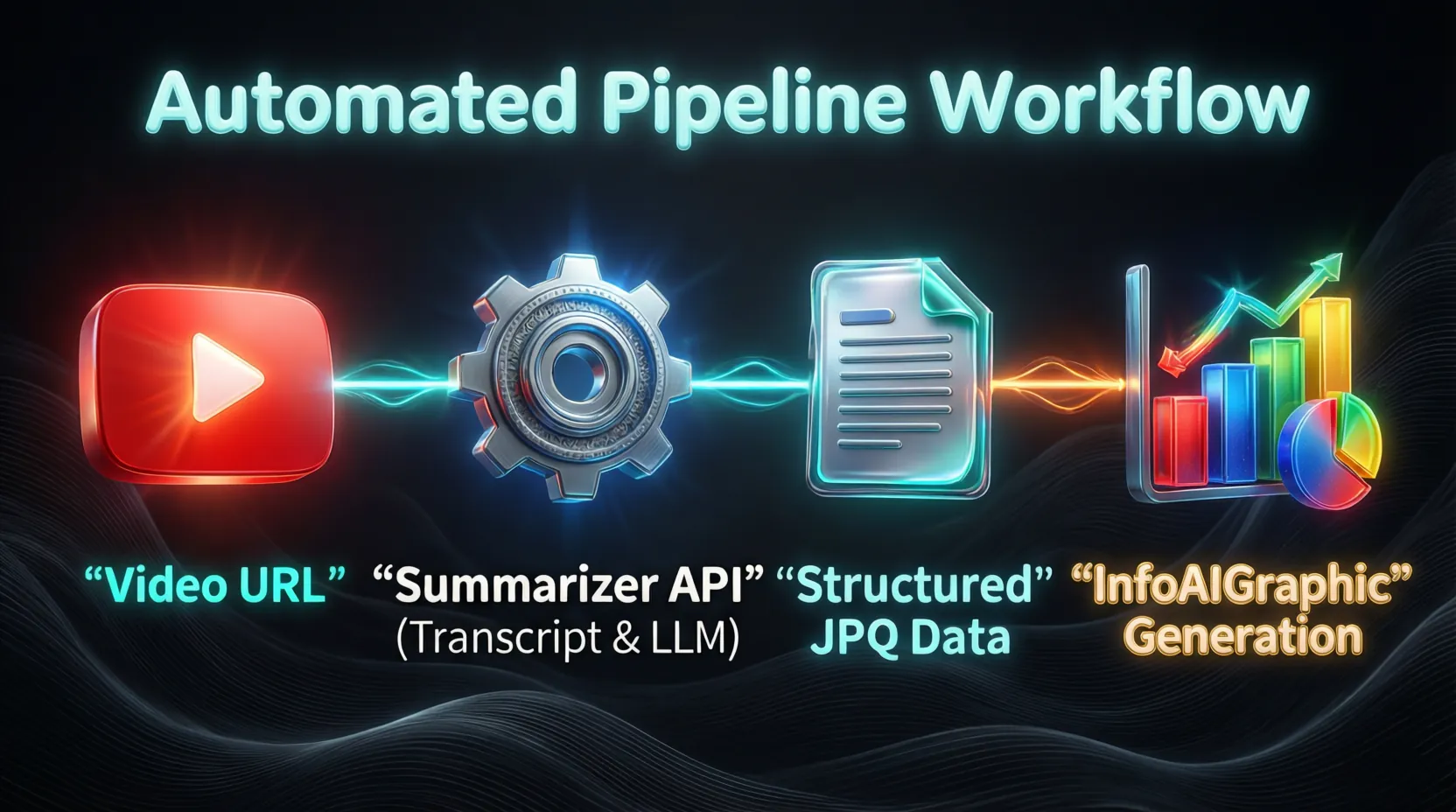
When we talk about a youtube video summarizer api key, we are usually talking about a sequential chain of API calls that perform three distinct actions:
- Extraction: The first step is getting the audio or the transcript out of the YouTube ecosystem. Some dedicated APIs handle the downloading and audio extraction for you just by passing them the YouTube URL.
- Transcription (ASR): If the video does not have a clean, manual transcript, the audio needs to run through an Automatic Speech Recognition (ASR) model (like OpenAI’s Whisper or AssemblyAI). This converts spoken words into a raw text file.
- Summarization (LLM): The raw text is then sent to a Large Language Model (like GPT-4o, Claude 3.5 Sonnet, or Google Gemini) along with a specific set of instructions on how to condense and format the information.
Using an API instead of a consumer web interface (like the ChatGPT dashboard) gives you absolute control. You can dictate the exact length of the summary, the tone of voice, the required data structure (like JSON), and you can string it together with other tools.
For instance, you might use an automation platform like Make or Zapier. The workflow looks like this: A new video drops on your YouTube channel -> A webhook triggers your API key to fetch the transcript -> The summarization API processes the text -> The structured data is sent to an infographic generator.
However, setting this up requires a fundamental understanding of how data flows. I have seen countless users get frustrated when their automated workflows break because the transcript was too long and exceeded the API’s token limit. If you ever run into these types of architectural errors, I highly recommend reading my detailed breakdown on infographic workflow troubleshooting: Fix 6 Failures. It covers everything from handling API timeouts to fixing malformed JSON strings.
The “Aha!” Moment: Why Text Summaries Aren’t Enough
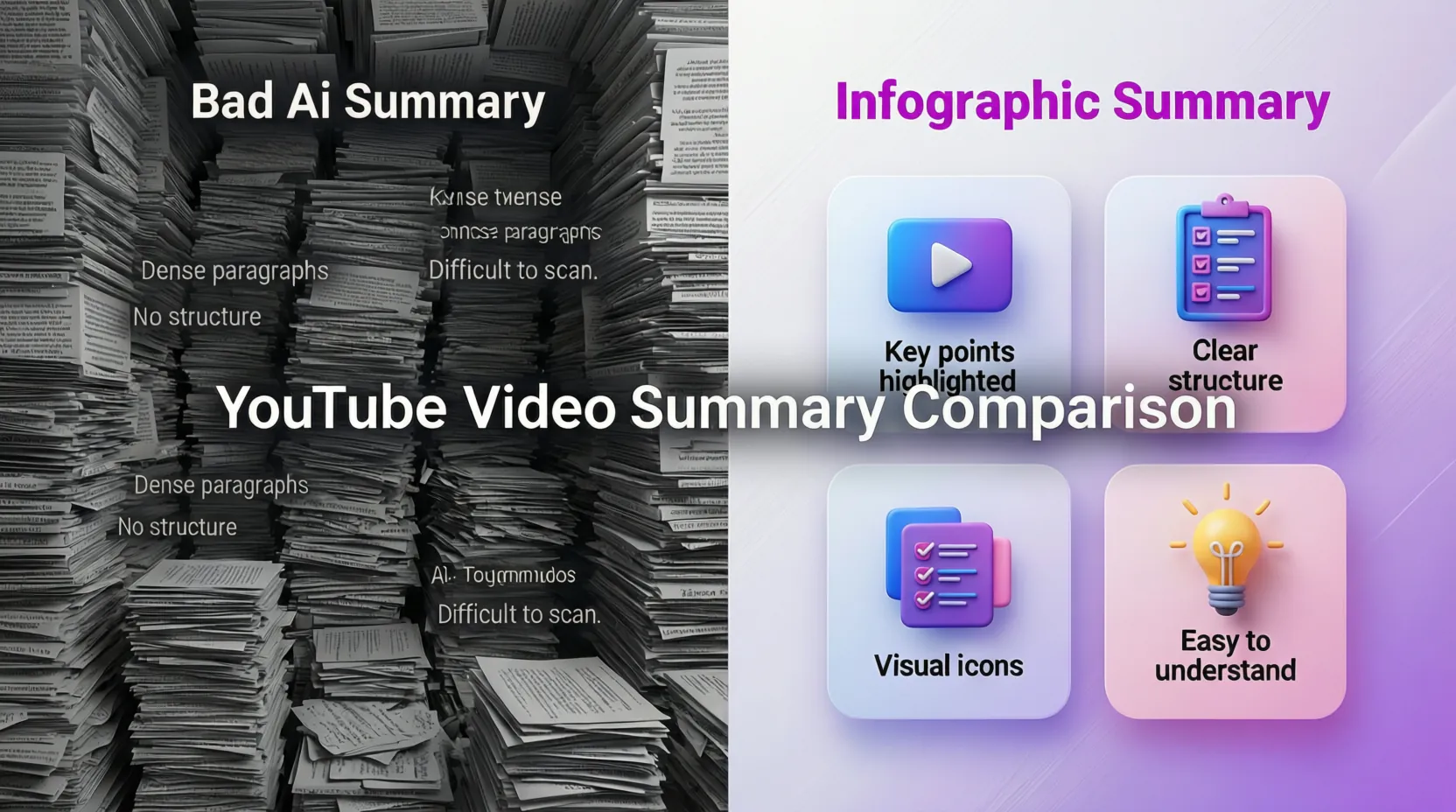
When developers first got access to powerful language models, the immediate reaction was to build tools that spit out massive blocks of summarized text. For a brief moment, this felt like magic. But the novelty wore off quickly.
Have you ever looked at an AI-generated text summary of a one-hour podcast? It is usually a wall of text filled with generic phrases like “The speaker then discussed the importance of…” or “In conclusion, the main takeaway is…”
It is boring. It lacks hierarchy. It lacks visual weight.
Human brains process visual information significantly faster than text. When you turn youtube video into infographic formats, you are engaging an entirely different cognitive process. You are utilizing spatial relationships, color coding, typography, and iconography to guide the viewer’s eye directly to the most important data points.
Consider the ongoing shift in search behavior. Search Engine Journal notes that Gartner predicts a 25% drop in traditional search engine volume by 2026, with traffic flowing directly to AI chatbots and visual search agents. Furthermore, authoritative, factually robust content-especially product and technical data-claims up to 70% of AI search citations.
If your core insights are buried in a 40-minute video or a dense block of AI text, they are invisible to these new discovery engines. But a well-structured infographic? That is a highly indexable, easily scannable asset that AI overviews and human readers both love.
This was the exact premise behind InfoAIGraphic. I saw marketers settling for mediocre text summaries when they could be generating stunning visual assets. By taking the structured data from your API and mapping it to intelligent design templates, you eliminate the friction of consumption. You give your audience the exact information they need, packaged in a format they actually want to look at.
Writing the Best YouTube Video Summary Prompt
The most common mistake I see people make when automating this process is using a lazy prompt. If you send a transcript to an API and simply say, “Summarize this video,” you are going to get a useless, generic paragraph.
If your goal is to feed this data into an infographic generator, your prompt must act as an architectural blueprint. You are not just asking for a summary; you are asking the AI to act as a data parser, a copywriter, and a structural designer all at once.
Finding the best youtube video summary prompt took me months of trial and error. The perfect prompt must accomplish three things:
- Enforce constraints: It must limit character counts so the text fits neatly into visual bounding boxes.
- Extract hierarchy: It must identify a main title, a subtitle, and distinct data points or steps.
- Format strictly: It must return the data in a machine-readable format (like JSON) so your visual tool can ingest it without human intervention.
Here is a masterclass prompt you can adapt for your own API calls:
System Prompt: You are an expert data visualization copywriter and content strategist. Your job is to analyze the provided YouTube video transcript and extract the most valuable, actionable insights. You must format your output as a highly structured JSON object designed to be plugged directly into an infographic generator.
Instructions:
- Analyze the transcript to find the core thesis of the video.
- Create a catchy, click-worthy
main_title(max 50 characters). - Create a supportive
subtitleexplaining the value proposition (max 100 characters). - Extract exactly 4 to 6 key data points, steps, or insights.
- For each point, provide a short
heading(max 30 characters) and a concisedescription(max 120 characters). - Output ONLY valid JSON. Do not include any conversational text or markdown formatting outside of the JSON block.
When you send this prompt through your youtube video summarizer api key, the result is no longer a messy wall of text. It is a clean, structured dataset ready for visualization.
This strict formatting is crucial because design tools need predictable inputs. If the AI hallucinates a 500-word paragraph for one of your bullet points, it will break your visual layout. It will overflow the text boxes and ruin the aesthetic of the infographic. If you do end up with text overflow issues or typos in your generated images, you should check out my guide on How to Edit Text in Image Files: The Founder’s Guide of Infographic Design 2026 for practical recovery strategies.
Information Gain: Comparing Video Summarization Approaches
To successfully build this pipeline, you need to choose the right infrastructure. Not all APIs are created equal. Some are incredibly fast but lack logical reasoning. Others are brilliant at reasoning but cost a fortune in compute credits.
To help you navigate the landscape of API keys and models, I have compiled a detailed comparison of the most common approaches used by developers and technical marketers today.
| Approach / Tech Stack | Primary Strengths | Primary Weaknesses | Best Use Case for Infographics | Estimated Cost per Hr of Video |
|---|---|---|---|---|
| Direct YouTube API + GPT-4o | Ultimate control. GPT-4o follows strict JSON instructions flawlessly for complex layouts. | Requires writing custom scripts to handle YouTube transcript extraction and API chaining. | Deep, highly structured B2B webinars and technical tutorials. | ~$0.15 - $0.30 (API tokens) |
| Anthropic Claude 3.5 Sonnet | Massive context window. Can ingest multi-hour podcast transcripts without losing the thread or hallucinating. | Slightly stricter rate limits on lower-tier API accounts compared to OpenAI. | Long-form interviews, town halls, and narrative-heavy content. | ~$0.10 - $0.25 (API tokens) |
| All-in-One Video APIs (e.g., AssemblyAI) | Handles audio extraction, transcription, and LLM summarization in a single API call. | Less flexibility in custom prompting. Harder to enforce strict JSON schemas for visual mapping. | Quick social media snippets, fast news recaps, broad overviews. | ~$0.50 - $0.80 (Combined cost) |
| Google Gemini 1.5 Pro | Native multimodal capabilities. Can process video files directly without needing a separate text transcript step. | Output formatting can sometimes drift from strict JSON without heavy prompt engineering. | Highly visual videos where the on-screen action matters as much as the spoken audio. | ~$0.20 - $0.40 (API tokens) |
Note: The costs above reflect the API token usage for the LLM processing and transcription layers as of mid-2026, assuming an average transcript length of roughly 9,000 words per hour of spoken audio.
As a founder, my personal preference leans toward the Direct YouTube Transcript + GPT-4o route. The logic capabilities of GPT-4o when instructed to generate nested JSON arrays ensure that the data feeds perfectly into the InfoAIGraphic engine every single time.
Step-by-Step Guide: Automating the Video-to-Infographic Pipeline
Now that we have covered the theory, the prompting, and the API landscape, let’s get tactical. I am going to walk you through the exact sequence of events required to build a fully automated pipeline.
This is the exact playbook I use to turn a 30-minute founder interview into a polished visual asset in under three minutes.
1. Secure and Configure Your API Keys
You will need two primary keys to make this work. First, you need an API key from an LLM provider (like OpenAI or Anthropic). Go to their developer platform, create a new project, and generate a secret key. Store this securely. Second, you will need access to InfoAIGraphic’s capabilities to handle the visual generation. If you are using a no-code tool like Make (formerly Integromat) or Zapier, you will authenticate these keys in your connections dashboard.
2. Extract the YouTube Transcript
You cannot summarize a video without the source text. You can use open-source libraries like youtube-transcript-api in Python, or use a no-code module that fetches the transcript directly from the YouTube URL.
Pro Tip: Always strip out the timestamps before sending the text to your LLM. Timestamps consume massive amounts of your token limit and confuse the AI’s contextual understanding of the narrative.
3. Run the Summarization Prompt
Pass the clean transcript text to your LLM API using the exact JSON-structuring prompt we discussed earlier in this article. Ensure you set the temperature parameter relatively low (around 0.2 or 0.3). You want the AI to act analytically and extract facts, not write creative fiction. You want high precision.
4. Map the Data to Visual Components
Once the API returns the JSON payload, your automation platform will parse it. You now have distinct variables: main_title, subtitle, and a list of points. You map these variables to the corresponding text fields in your infographic template. Think of this like mail-merge, but for high-end graphic design.
5. Generate the Final Infographic
The mapped data is sent to your visual generation engine. The system calculates the text length, adjusts the typography to fit the bounding boxes, selects appropriate iconography based on the semantic meaning of your text, and renders the final image.
6. Review, Download, and Distribute
The final step is automated delivery. You can have the system drop the finished high-resolution .webp or .png file directly into a Slack channel, a Google Drive folder, or even draft a social media post automatically.
By building this pipeline, you completely remove the manual friction of graphic design. You can literally paste a YouTube link into a form and watch a finished infographic appear in your inbox three minutes later.
Real-World Case Studies: Who is Using This Technology?
To truly grasp the power of a youtube video summarizer api key, it helps to look at how different industries are applying this workflow to solve real business problems.
B2B SaaS and Webinar Repurposing
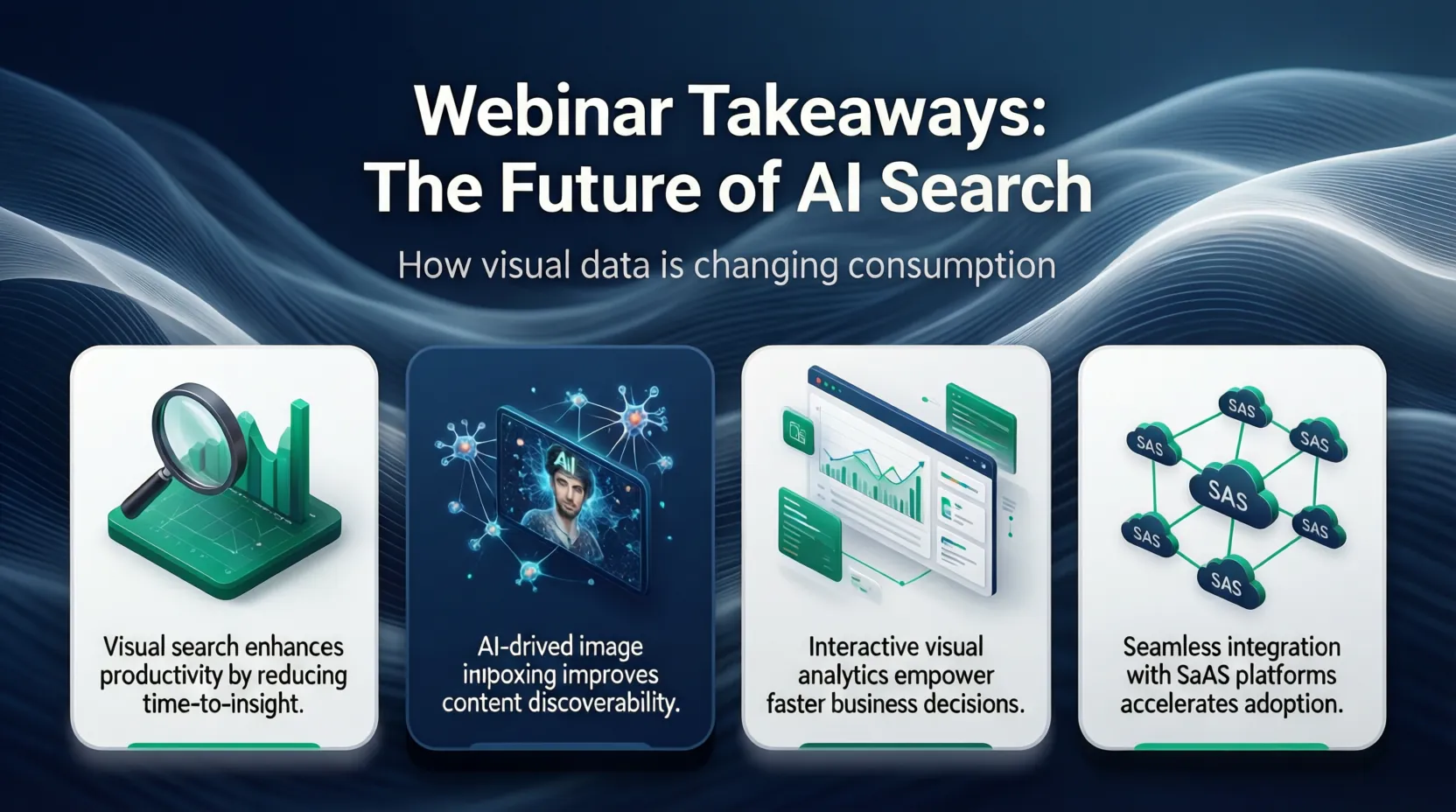
B2B marketing teams run webinars constantly. These 60-minute sessions are packed with incredible insights, but getting attendees to re-watch a recording is nearly impossible. Smart SaaS companies are using API workflows to instantly summarize the webinar transcript into a “Key Takeaways” infographic.
They use this graphic in the follow-up email blast. Instead of sending a generic “Thanks for attending, here is the link to the recording,” they send a beautiful visual asset that summarizes the core value. This creates an immediate spike in engagement and acts as a highly effective sales enablement asset for account executives. If your team is struggling to align on what metrics to highlight in these graphics, taking a look at Vision Board Examples: How B2B Teams Visualize Success in 2026 can help standardize your visual communication strategy.
Healthcare and Complex Data Simplification
The medical and healthcare space produces an enormous amount of dense, highly technical video content-from surgical symposiums to public health announcements. The challenge here is accessibility. General audiences cannot parse complex medical jargon delivered in a 40-minute lecture.
By utilizing an advanced LLM via an API, healthcare communicators can prompt the AI to not only summarize the video but also translate the medical terminology into an 8th-grade reading level. This simplified text is then fed into an infographic generator to create patient-friendly visuals. For a deeper dive into this specific use case, check out my comprehensive AI in healthcare infographic guide.
Independent Creators and Course Builders
If you sell an online course, you likely have dozens of hours of video curriculum. Creators are using summarization APIs to automatically generate visual “cheat sheets” for every single lesson.
Instead of spending hours designing PDFs in vector software, they run their lesson transcripts through the pipeline and generate cohesive, branded study guides instantly. This dramatically increases the perceived value of the course without adding any manual labor to the creator’s plate.
The Cognitive Load Theory of Marketing
I want to pause here and talk about why this works on a psychological level. When you turn youtube video into infographic assets, you are leveraging Cognitive Load Theory.
Every piece of content you put in front of a user requires mental effort to process. A continuous block of text or a long, un-chaptered video imposes a high “intrinsic cognitive load.” The user has to work hard just to figure out what you are trying to say before they can even decide if they agree with you.
According to research from the Content Marketing Institute, 84% of B2B marketers say content helps create brand awareness, and 76% say it aids in demand generation. But those results only materialize if the audience actually consumes the content.
Infographics act as a cognitive offramp. By using spatial organization (grouping related items together), contrasting colors to highlight key metrics, and concise, AI-edited copy, you drastically reduce the cognitive load. You are doing the hard work of synthesis so the user doesn’t have to.
This is the ultimate form of respect for your audience’s time. When you respect their time, they reward you with engagement, shares, and eventually, revenue.
Common Pitfalls and How to Avoid Them
Even with the best tools, integrating AI into your workflow can present challenges. Here are the most common pitfalls I see founders hit when setting up their summarizer API pipelines:
1. Ignoring Token Limits Language models can only read so much text at once. If you try to send a transcript for a 3-hour Joe Rogan podcast to an older API model, it will crash and return an error. Always check the context window of the model you are using. If the video is too long, you must build a script that chunks the text into smaller pieces, summarizes each piece, and then summarizes the summaries.
2. Over-Designing the Output When you automate infographic creation, the temptation is to include too much data. A common mistake is asking the AI to extract 15 bullet points. No one wants to read a 15-point infographic on LinkedIn; it becomes an eye-chart. Constrain your prompt to extract a maximum of 4 to 6 points. Embrace whitespace. Less is always more in visual design.
3. Failing to Handle “Ums” and “Ahs” Raw ASR transcripts are messy. They include stuttering, false starts, and filler words. If your summarization prompt is weak, the AI might incorporate this conversational noise into the final text. Always explicitly instruct the AI in your system prompt to ignore conversational filler and synthesize the core meaning.
FAQ
Q: Do I need to be a software developer to use a youtube video summarizer api key? A: Not anymore. While knowing Python is helpful, you can easily use no-code platforms like Zapier or Make to connect YouTube, an OpenAI API key, and a visual generation tool without writing a single line of code.
Q: How much does it cost to summarize a video using an API? A: It is incredibly cheap. Depending on the model, summarizing a standard 10-minute YouTube video transcript using an API like GPT-4o or Claude 3.5 Sonnet usually costs less than three cents in compute tokens.
Q: Can I use this workflow to summarize videos that aren’t on YouTube? A: Yes. As long as you can extract the audio file (from a Zoom recording, a podcast RSS feed, or an MP4 file), you can run it through an audio transcription API first, and then push that text through your standard summarization pipeline.
Q: Will the AI ever hallucinate facts from the video? A: It is possible, but highly unlikely if your prompt is structured correctly. By setting the API temperature close to zero and strictly instructing the model to “only use information explicitly stated in the transcript,” you virtually eliminate the risk of hallucination.
Conclusion
We are living through a fundamental shift in how information is processed and consumed. The days of expecting an audience to passively watch a 45-minute talking-head video just to find one good idea are over. The most successful marketers and founders are those who adapt to this reality by synthesizing complex information into fast, beautiful, and highly structured visual assets.
Mastering a youtube video summarizer api key is your ticket to operating at this higher level. By combining the extraction power of modern LLMs with the visual rendering capabilities of InfoAIGraphic, you can completely automate your content repurposing engine. You take the friction out of consumption, respect your audience’s time, and breathe new life into your most valuable video assets.
Stop letting your hard work decay in the archives. Start extracting, start summarizing, and start visualizing.
Share this article

Mateoo
Founder of InfoAIgraphic
Building the fastest way to turn text into viral infographics. Helping creators and businesses scale their visual content without design skills.
Related Articles
How to Edit Text in Image Files: The Founder’s Guide of Infographic Design 2026
Learn how to edit text in image files using AI. Discover how marketers extract data from static visuals and turn them into dynamic, stunning infographics.

Vision Board Examples: How B2B Teams Visualize Success in 2026
Discover practical B2B vision board examples and learn how to create a digital vision board using AI. Explore templates, workflows, and expert tips.

The Ultimate Guide to Infographic Workflow Troubleshooting: Debugging 6 Common Failures
The Ultimate Guide to Infographic Workflow Troubleshooting: Debugging 6 Common Failures — practical informational guide to "infographic workflow