No subscription. Pay only for HD exports.

PDF to Infographic AI Generator

Turn long PDFs, whitepapers, and research documents into executive-ready visual summaries with key insights, metrics, risks, and next steps.

Secure Stripe checkout. Credits never expire. Commercial HD exports available.

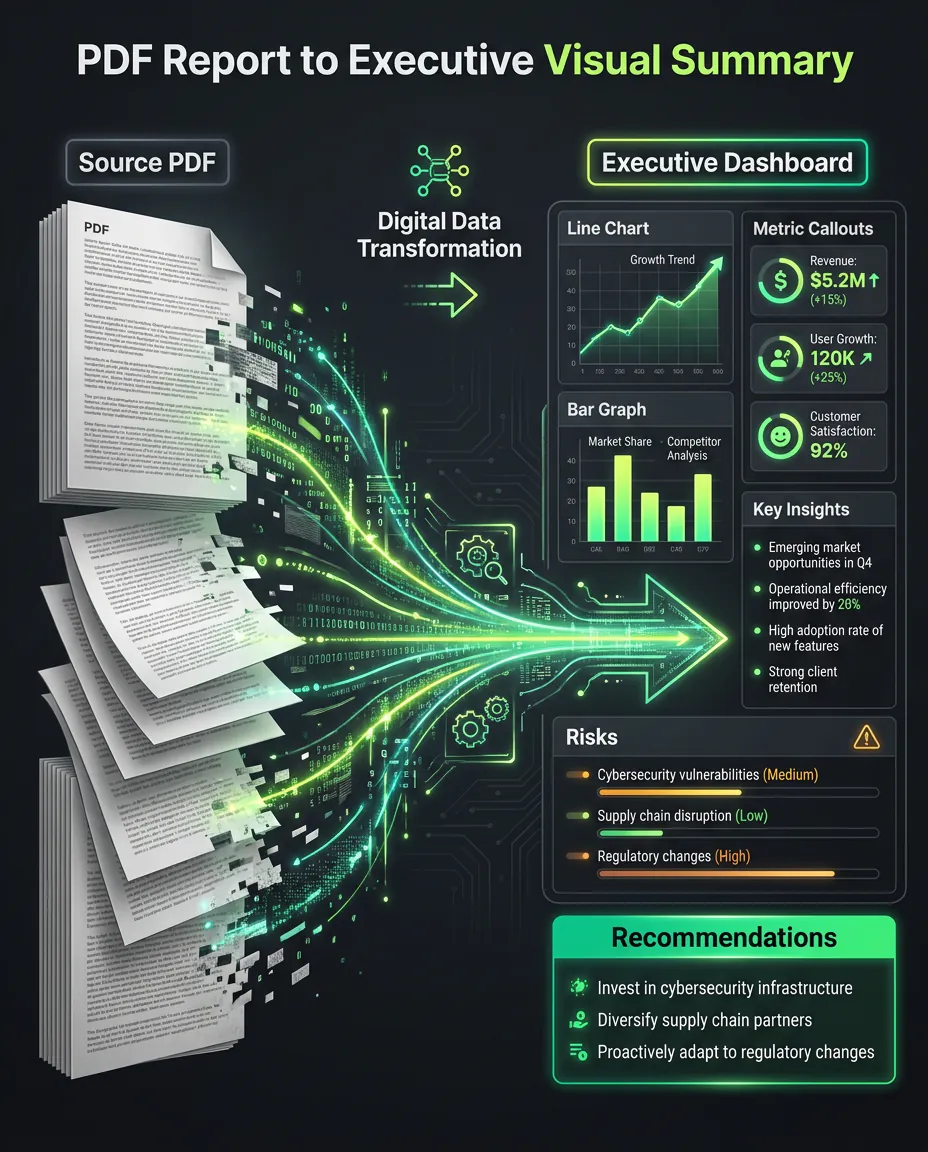
PDF to infographic example showing a report transformed into an executive visual summary.

PDF to infographic example showing a report transformed into an executive visual summary.

PDF source

A 12-page PDF report with findings and recommendations

Use a report, whitepaper, research paper, lead magnet, or exported document that needs a shorter visual version.

  • Survey findings
  • Charts and metrics
  • Research notes
  • Recommendations
  • Executive summary

Executive visual

A visual summary for decision-makers

The result organizes the document into the points people need to understand first.

  • Top 3 insights
  • Key metrics
  • Trend summary
  • Risks
  • Recommended next steps

PDF to infographic

What is a PDF to infographic generator?

A PDF to infographic generator helps you turn long documents into visual summaries. It is useful for reports, whitepapers, research papers, strategy documents, and lead magnets that are too dense to share as-is. infoAIgraphic helps extract the story, structure the points, and create a preview before you pay for an HD export. It is not a replacement for fact-checking your numbers, but it can make complex documents much easier to present and discuss.

How it works

A simple path from source material to a professional HD export.

Step 1

Add your source material

Paste text, add a link, upload a document, or bring in the notes you already have.

Step 2

Choose the infographic format

Pick the structure that fits the job: summary, checklist, timeline, comparison, or presentation visual.

Step 3

Generate a free preview

Review the draft first so you can see whether the structure, hierarchy, and message are useful.

Step 4

Export HD without watermark

Pay only when you want the polished export for publishing, client work, presentations, or commercial use.

Best use cases

These pages should rank because they solve specific source-to-visual workflows, not because they repeat generic AI copy.

Report summaries

Turn long reports into one-page visual summaries for clients, managers, or stakeholders.

Whitepaper visuals

Repurpose dense B2B content into graphics that can support landing pages and email campaigns.

Research paper takeaways

Convert findings and implications into a scannable visual for non-specialist readers.

Investor updates

Summarize progress, metrics, risks, and priorities in a format that is easier to review.

Lead magnet previews

Create a visual teaser that makes a longer PDF easier to promote.

Internal strategy memos

Turn dense planning documents into visual briefs teams can discuss faster.

Infographic formats

Choose a format that matches the way your source material should be understood.

Summary infographic

Compress the most important points into a clean visual your audience can scan quickly.

Checklist

Turn instructions, requirements, or action items into a practical list people can follow.

Step-by-step guide

Show a process in order without forcing readers through a long paragraph.

Timeline

Map milestones, stages, or historical context into a clear sequence.

Comparison chart

Make tradeoffs, options, or before-and-after stories easier to understand.

Key takeaways visual

Pull out the handful of ideas that deserve to become a social post, slide, or handout.

Presentation visual

Create a slide-ready graphic for decks, webinars, workshops, or lessons.

Social post or carousel

Repurpose source content into a visual that fits LinkedIn, newsletters, and short-form distribution.

Example prompts

Executive summary

Create an executive infographic from this PDF report with top insights, key numbers, risks, and next steps.

Research

Turn this research excerpt into a visual summary for a non-technical audience.

Whitepaper

Convert this whitepaper section into a 5-part infographic for a landing page.

Metrics

Create a statistical infographic from these PDF findings and highlight the strongest numbers.

Client report

Summarize this client report into a clean visual recap with wins, issues, and recommendations.

Lead magnet

Create a shareable infographic preview from this PDF guide.

Manual workflow vs infoAIgraphic

Manual workflow

  • Read the full PDF
  • Copy the useful sections
  • Rewrite findings for a short format
  • Pick a layout
  • Design the visual summary
  • Export and check readability

infoAIgraphic workflow

  • Add the PDF content
  • Choose a summary format
  • Generate a preview
  • Review the extracted ideas
  • Regenerate if the emphasis is wrong
  • Export HD for sharing

Generate first. Pay only when the export is worth it.

Create a free preview before you spend anything. When the result is useful, use credits for the professional HD export with no watermark and commercial use.

Generate free preview
  • Free preview before checkout
  • No subscription required
  • Credits never expire
  • HD export removes the watermark
  • Commercial use available
  • Secure Stripe checkout

Related guides

FAQ

Can I convert a PDF into an infographic?

Yes. Use PDF content when you want to summarize findings, sections, metrics, or recommendations visually.

Should I upload the whole PDF or only key sections?

Key sections usually produce sharper results. Whole documents can work, but reviewing the extracted points is important.

Is this good for client reports?

Yes. Visual summaries can make client reporting easier to scan and easier to discuss in meetings.

Will the AI verify my numbers?

No. Always verify numbers, sources, and claims before publishing or sending the final infographic.

Is the preview free?

Yes. You can generate a preview before paying for the HD export.

Can I use the output in presentations?

Yes. HD exports can be used in decks, reports, client updates, and internal summaries.

Generate a free infographic preview

Paste your source material, check the preview, and export HD only when the visual is useful enough to keep.

Generate free preview